Call Us +92-300-8042177

Looking for the best Advanced Graphic Designing Course in Faisalabad? You’re in the right place. At EIT Computer Institute, this course is designed for students who already know design basics and want to move straight into professional, industry-level skills. Instead of repeating beginner lessons, you’ll start working with advanced tools like Adobe Photoshop, Illustrator, and InDesign right from day one. Throughout the course, you’ll build real branding projects, packaging designs, and social media content — the same kind of work used by top design agencies worldwide. You’ll also learn UI/UX basics for apps and websites, along with client handling and freelance pricing.
By the end, you won’t just know the software. You’ll have a professional portfolio, practical experience, and the confidence to apply for design jobs or start freelancing in Faisalabad and beyond.
What You’ll Learn in This Advanced Graphic Designing Course
This course covers everything you need to work as a professional designer. You’ll start with advanced photo editing and visual effects in Photoshop, then move into Illustrator for logo design, packaging, and complete branding kits — the kind of work real agencies hand to their senior designers. Print skills come next. You’ll learn magazine and catalog layouts in InDesign, along with flex banners, posters, and visiting card design in CorelDRAW, including proper layer management for print-ready files. There’s also Canva Pro for fast, modern social media content across Instagram, Facebook, and YouTube. Beyond the software, you’ll get an introduction to UI design for apps and websites, covering layout, spacing, and visual flow. Design thinking and portfolio-building tie everything together, so by the end of the course, you’re ready for real client work in Faisalabad or anywhere else — not just software knowledge.
Description of Advanced Designing Course
To start, the course is structured into eight practical modules, moving from creative fundamentals to real client-ready work. First, you’ll begin with career paths in the design industry and core design thinking. Before moving into advanced Photoshop for photo editing and visual effects. From there, Illustrator covers branding kits and logo design, while InDesign focuses on layouts for magazines and digital publications. Finally, CorelDRAW rounds out the print side with flex banners and visiting cards.
On the digital side, you’ll use Canva Pro for fast social media content, along with an introduction to UI basics — designing app and website mockups. The final module brings it all together with portfolio building and freelancing, covering platforms, pricing, and client work.
Each module builds on the last at EIT Computer Institute, so by the end, you’ll have both the technical skills and a professional portfolio ready to show employers or clients.
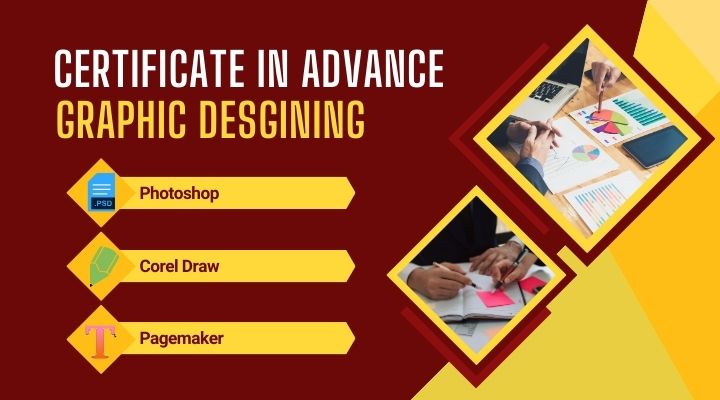
Course Content
Once you complete this Advanced Graphic Designing Course at EIT Computer Institute, a range of career paths open up. Many graduates go on to work as senior graphic designers or branding experts, handling complete visual identities for real clients rather than just individual graphics.
Others move into more specialized roles, such as creative visual artists or social media content designers, building campaigns for brands across Instagram, Facebook, and YouTube. If print work interests you more, the skills you gain in InDesign and CorelDRAW make you well suited for a career as a print media specialist.
For those drawn to digital products, the UI basics covered in this course provide a solid foundation to start as a UI design assistant. And if you’d rather work independently, you’ll have everything needed to launch a freelance graphic design business — from a strong portfolio to client-handling skills.
Introduction
In this module, you’ll cover:
- Career paths and opportunities in the creative industry.
Roles in advertising agencies, digital marketing firms, and print media.
Freelance and independent design career options.
Adobe Photoshop in Advanced Graphic Designing
In this module, you’ll cover:
- High-end photo editing and retouching techniques
Advanced color correction and tone adjustment
Photo composition and combining multiple images seamlessly
Adobe Illustrator in Advanced Graphic Designing
Illustrator is where design ideas start taking a professional shape. this module of the Advanced Graphic Designing Course at EIT Computer Institute. You’ll move past basic shapes and text, learning how working designers actually use Illustrator to build brands from the ground up.
To begin with, you’ll start with logo design. Exploring how a single mark can represent an entire business across everything from business cards to billboards. From there, the focus shifts to complete branding kits — combining logos, color palettes, and typography into a consistent visual identity a client can use anywhere.
In addition, packaging design is a major part of this module, teaching you how to design for real-world products, not just flat screens. Alongside that, you’ll also practice creative vector illustration techniques. Giving you the skills to create original artwork rather than relying on templates or stock graphics.
Adobe InDesign
In this module, you’ll cover:
- Layout design for magazines, brochures, and digital publications.
Setting up grids, margins, and page structures that actually work.
Working with master pages for consistent, professional layouts.
Combining images, text, and design elements into a polished final layout.
CorelDRAW in Advanced Graphic Designing
Print production, flex, banners, visiting cards and Layer management & printing techniques
Canva Pro & Social Media
Quick content creation and Instagram, Facebook & YouTube designs
UI Basics in Advanced Graphic Designing
Designing app & website mockups and UX principles, layout, and visual flow
Portfolio & Freelance in Advanced graphic Designing
Building a professional portfolio
Freelancing platforms, pricing, and client work
What you will become
Senior Graphic Designer
Branding Expert
Creative Visual Artist
Social Media Content Designer
Print Media Specialist
UI Design Assistant
Freelance Graphic Designer
FAQS
Is this course suitable for someone with no design background at all? It’s designed for students who already know the basics and want to move into advanced, professional-level skills, so some prior design knowledge helps you get the most out of it.
Which software will I actually learn to use? You’ll work with Adobe Photoshop, Illustrator, and InDesign, along with CorelDRAW and Canva Pro, plus an introduction to UI design for apps and websites.
Will I have something to show employers or clients after finishing? Yes. Every student completes real projects and a professional sample portfolio, so you leave with actual work to present, not just certificates.
Can this course help me start freelancing instead of getting a job? Definitely. There’s a dedicated module on freelancing platforms, pricing your work, and handling clients, so you’re prepared either way.
For more detail visit our official Website
To enrol for this course click here